阿里云外网访问mysql
阿里云外网访问mysql
https://blog.csdn.net/qq_39763246/article/details/116225332
1、阿里云安全组
如果用的是阿里云服务器,首先确认阿里云的安全组中是否开通数据库的对外端口(通常是3306),如果没有,就新增一个。
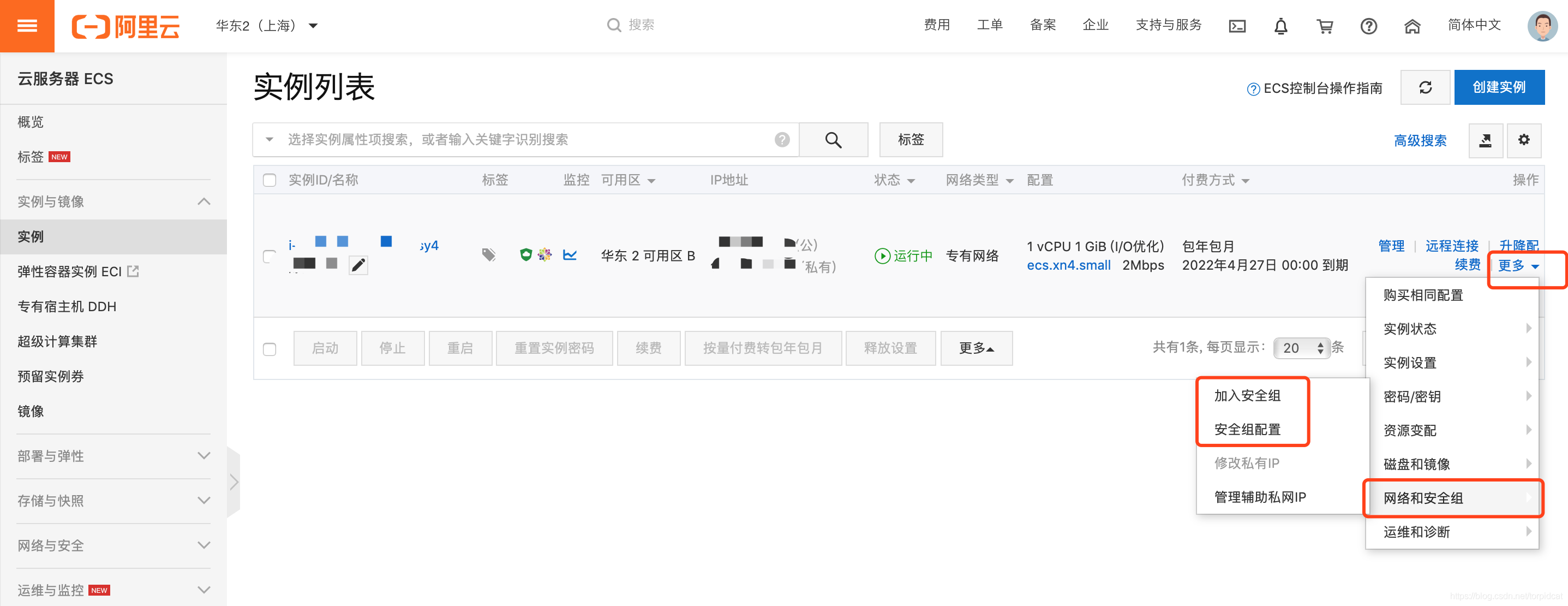
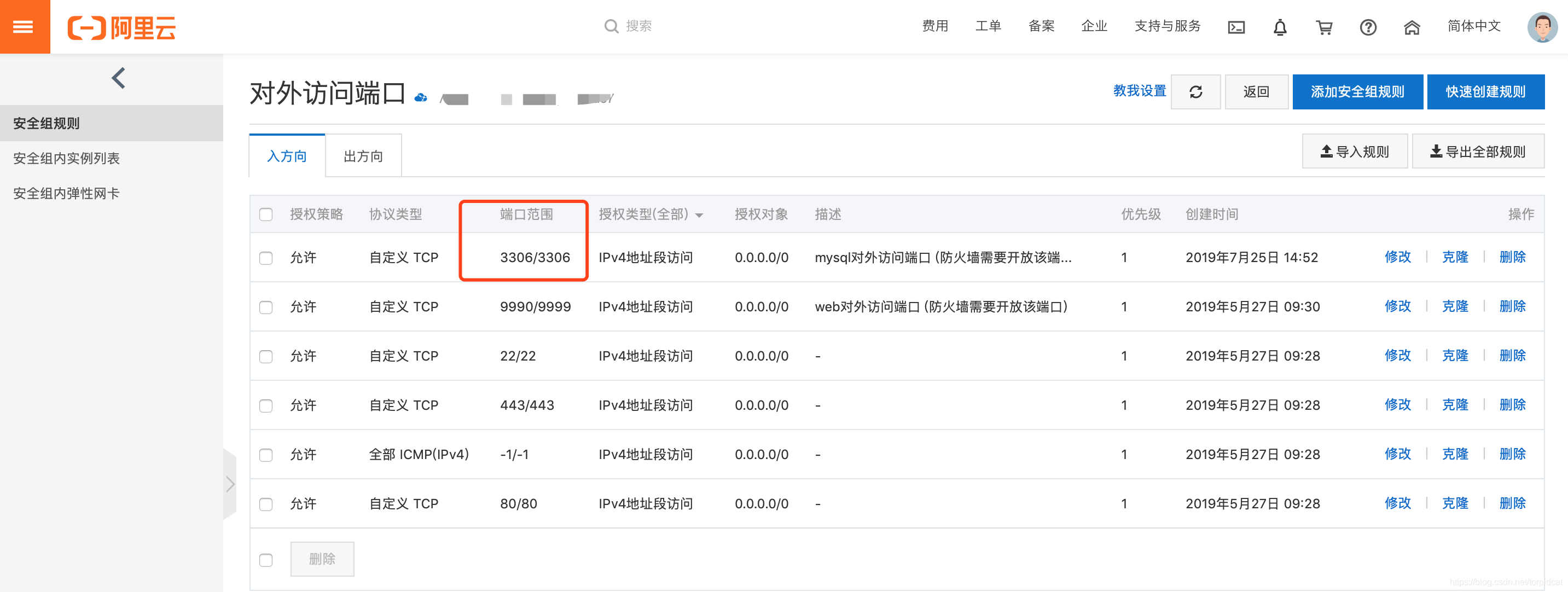
2、MySQL设置允许远程访问
默认情况下 MySQL 是不允许远程连接的,所以在 Java 项目或者 MySQLWorkbench 等数据库连接工具连接服务器上的 MySQL 服务的时候会报
Host 'x.x.x.x' is not allowed to connect to this MySQL server。 可以通过下面的设置解决。详细可以参考这个链接 服务器mysql -u root -p进入mysql命令行,执行下侧语句,允许mysql的远程访问:mysql命令执行如果提示:-bash: mysql: command not found,那么看这个链接

– 允许所有远程连接到root权限下的所有数据库 grant all privileges on *.* to root@"%" identified by '数据库密码'; – 刷新(必要执行的语句) flush privileges; – 如果不想开放全部数据库或者需要设置指定ip访问指定库: 参考这个链接
提示:
在执行第一条命令的时候,可能会报:
ERROR 1820 (HY000): You must reset your password using ALTER USER statement before executing this statement.需要让我们重置密码。原因是因为之前设置的密码过于简单,不符合 MySQL 的安全要求。只要重新设置一个复杂点的密码就可以了:
SET PASSWORD = PASSWORD('xxx'); xxx 是重置的新的复杂的密码
3、防火墙设置
防火墙需要开放 3306 端口,依次执行:
firewall-cmd --permanent --zone=public --add-port=3306/tcpfirewall-cmd --permanent --zone=public --add-port=3306/udpfirewall-cmd --reload如果是 CentOS 7,需要将 MySQL 服务加入防火墙,然后重启防火墙:firewall-cmd --zone=public --permanent --add-service=mysql

firewall-cmd --reload #重载防火墙配置 或 systemctl restart firewalld 重启防火墙
提示:
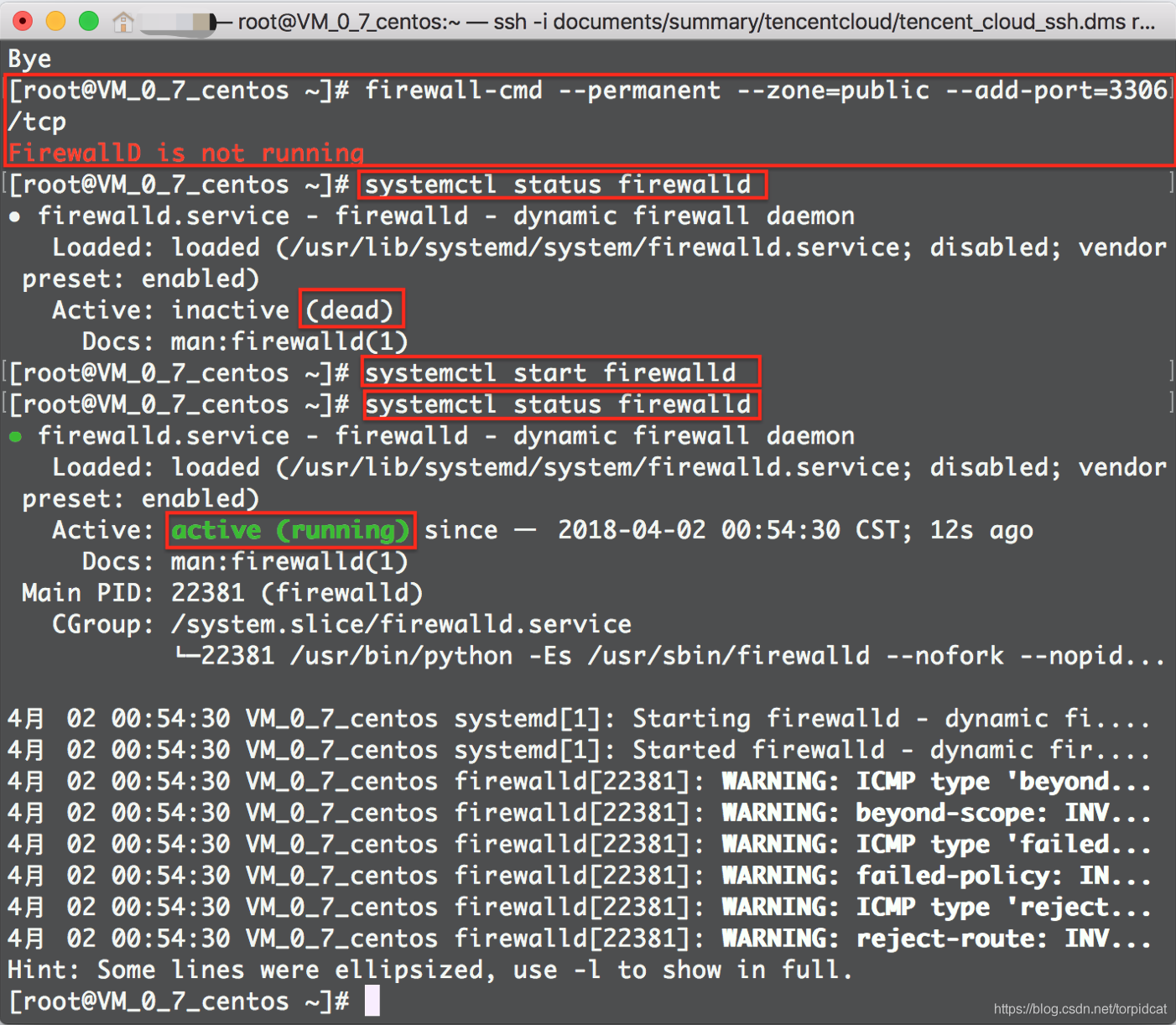
在输入firewall-cmd --permanent --zone=public --add-port=3306/tcp时可能会报FirewallD is not running,是说防火墙本身就没有打开,解决方法:
- 查看防火墙状态:
systemctl status firewalld,会发现状态是 dead,即防火墙未开启。 - 打开防火墙:
systemctl start firewalld - 再次查看防火墙状态:
systemctl status firewalld,这时会发现状态变为 running,即防火墙开启成功。
防火墙中移除端口的命令,举例:
firewall-cmd --permanent --zone=public --remove-port=9998/tcpfirewall-cmd --reload